All-in-One App Manager

Take back
your time & focus.

Time limits, global hotkeys, tasks, reminders, and the PLLauncher overlay — everything you need to stay productive. Free for Windows 11.

v2.6.59 — Windows 11 — $0

PLLauncher
Dashboard
Keybinds
Tasks
Time Limits
📅 Scheduler
Setups
Pomodoro
📈 App Usage
Settings
PLLauncher / Dashboard
Active Hotkeys 6
Active Tasks 3
Time Limits 4
📅 Schedules 2
Quick Actions
Shutdown 1h Lock PC
0 Downloads
2.6.59 Latest Version
Win 11 Supported OS
$0 Price

Your PC should work for you, not against you.

PLLauncher gives you everything you need to stay in control: set time limits, bind hotkeys, create tasks, and get reminded when it's time to move on.

🚫

Without PLLauncher

  • No structure — apps compete for your attention all day long
  • No enforcement — good intentions don't stop you from clicking
  • No overview — you don't know where your time actually goes

With PLLauncher

  • Time limits + global hotkeys + tasks + reminders in one app
  • Automatic enforcement — apps lock, overlays appear, no exceptions
  • Full dashboard with live usage, tasks, and productivity tools

Everything you need to stay in control

Click any feature to learn more.

See it in action

Real screenshots of PLLauncher running on Windows.
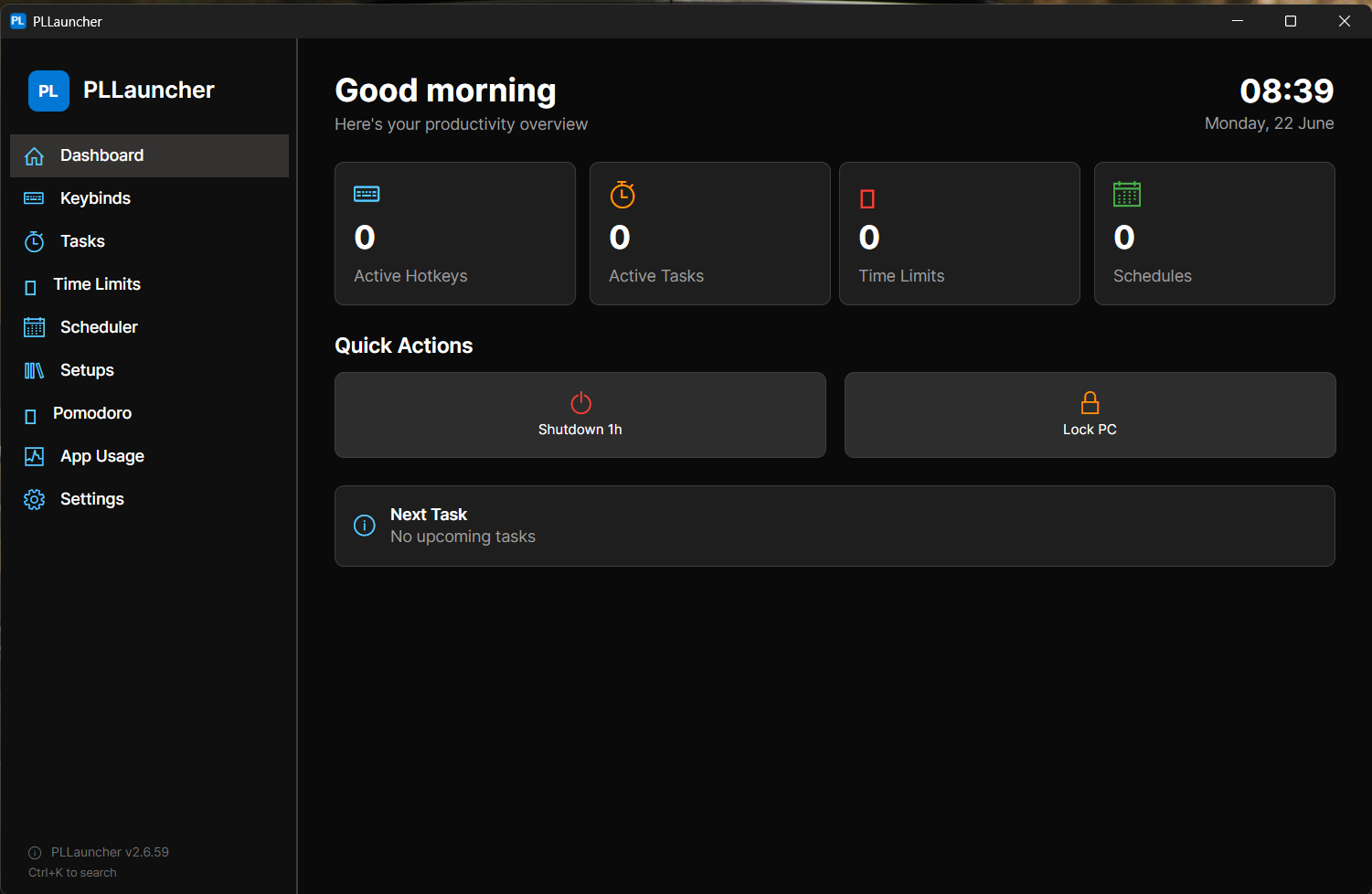
Main Dashboard main-dashboard.png

Main dashboard with usage overview
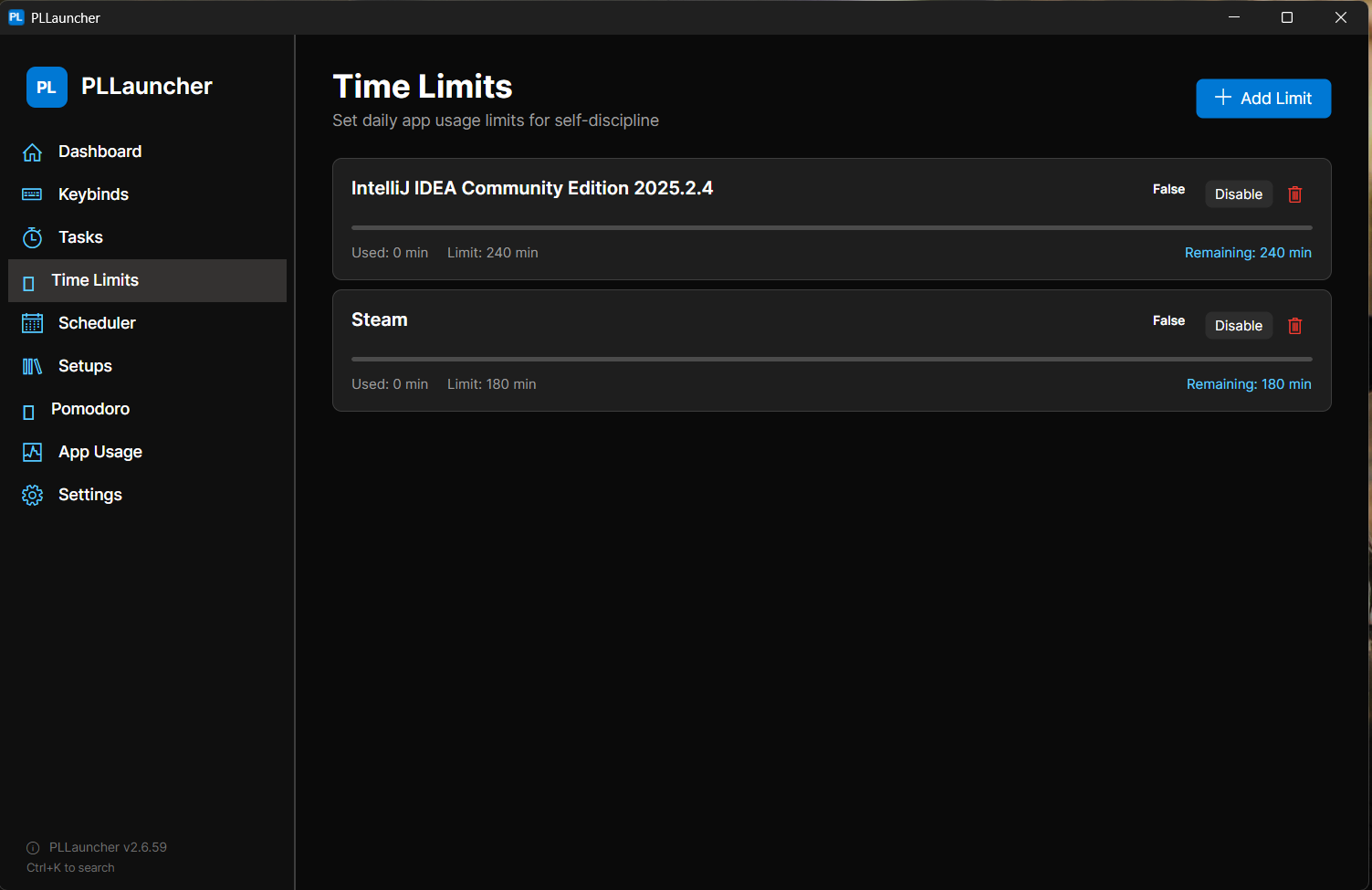
Time Limit Settings time-limit-settings.png

Time limit configuration per app
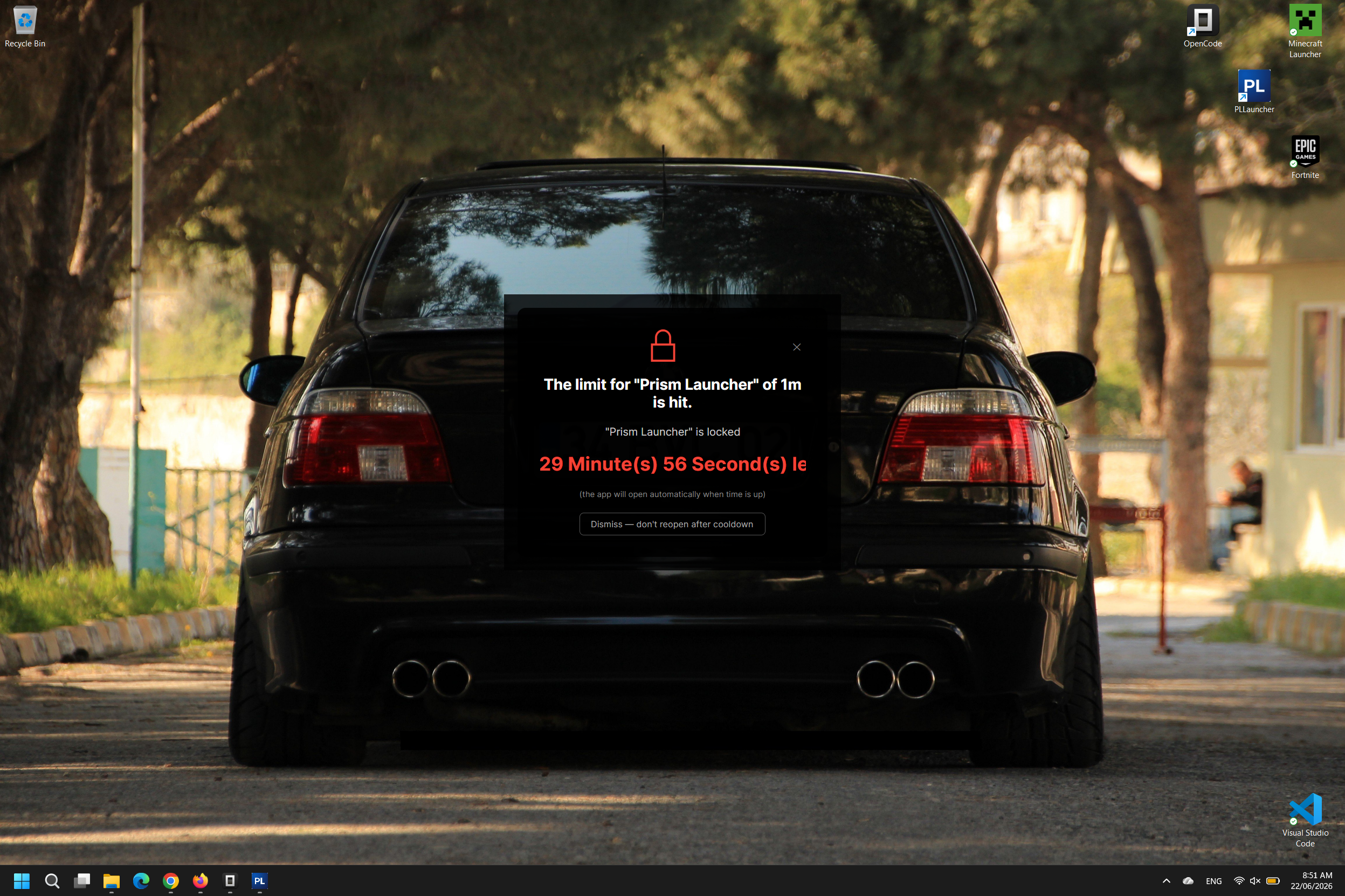
Lock Overlay lock-overlay.png

Lock overlay shown when time is up

Take control of your PC

Windows 11 — Self-contained installer — $0

Download v2.6.59
No ads No spyware Open source Portable installer
Verify integrity ▼

SHA256: 135c68cd18bd70cddc987e221ad0c94a9f06cb30a8b5a9c6bfa8f605483529c7

🎉

Thank You!

Thanks for downloading PLLauncher! If it helps you, please consider supporting the developer: